> ## Documentation Index
> Fetch the complete documentation index at: https://docs.simbas.ai/llms.txt
> Use this file to discover all available pages before exploring further.
# Navigation
> How to use the navigation within the AI Chat.
 ### **AI Chat Navigation**
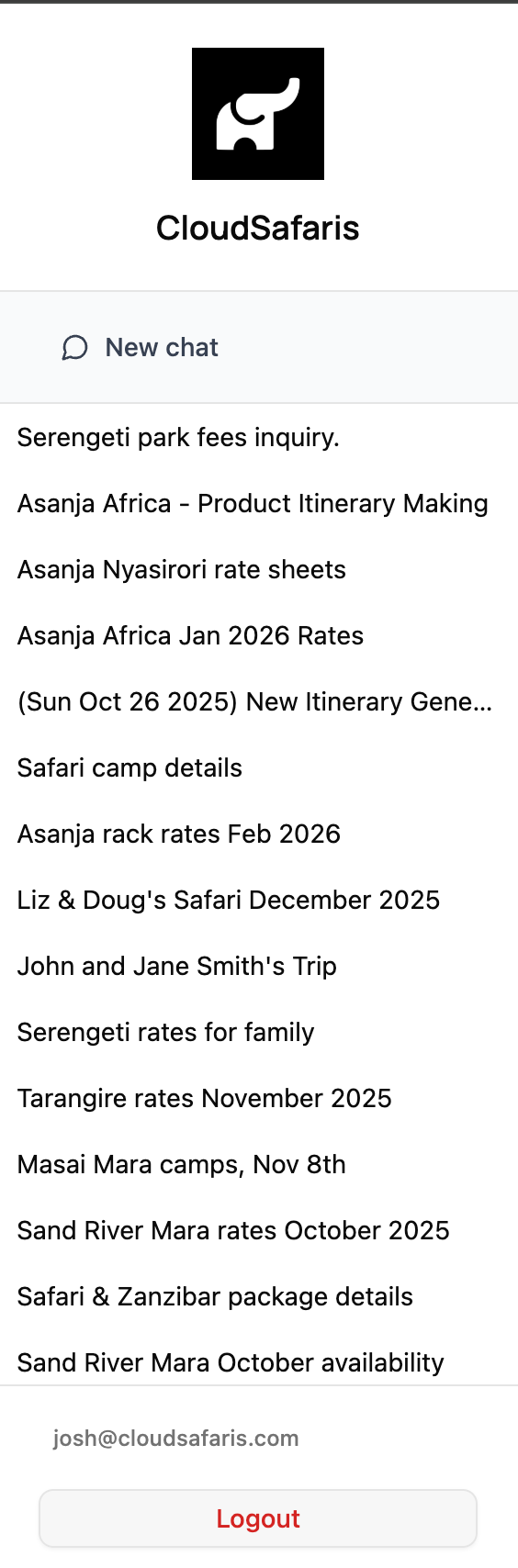
On the **left side** of the AI Chat interface, you’ll find the **Navigation panel**.
> *Note:* Your navigation layout may differ slightly from the screenshot above.
The navigation panel is automatically populated based on your **past conversations** with the AI Chat. Each line item represents a **separate conversation thread**.
### New Chat
To start a new conversation, click **“New Chat.”**
This creates a **fresh conversation thread** where you can ask new questions or generate new itineraries.
We recommend using **New Chat** when:
* You want to start a new query or itinerary.
* The AI Chat gets stuck or provides unrelated responses (to reset context).
* You want to keep separate topics or client requests organized.
### Conversations
Each **line item** in the side panel represents one of your **past AI Chat conversations**.
When you start a new conversation using the **“New Chat”** button, the system will automatically assign it a **default label** to help you identify it later.
If you’d like to rename or modify a conversation:
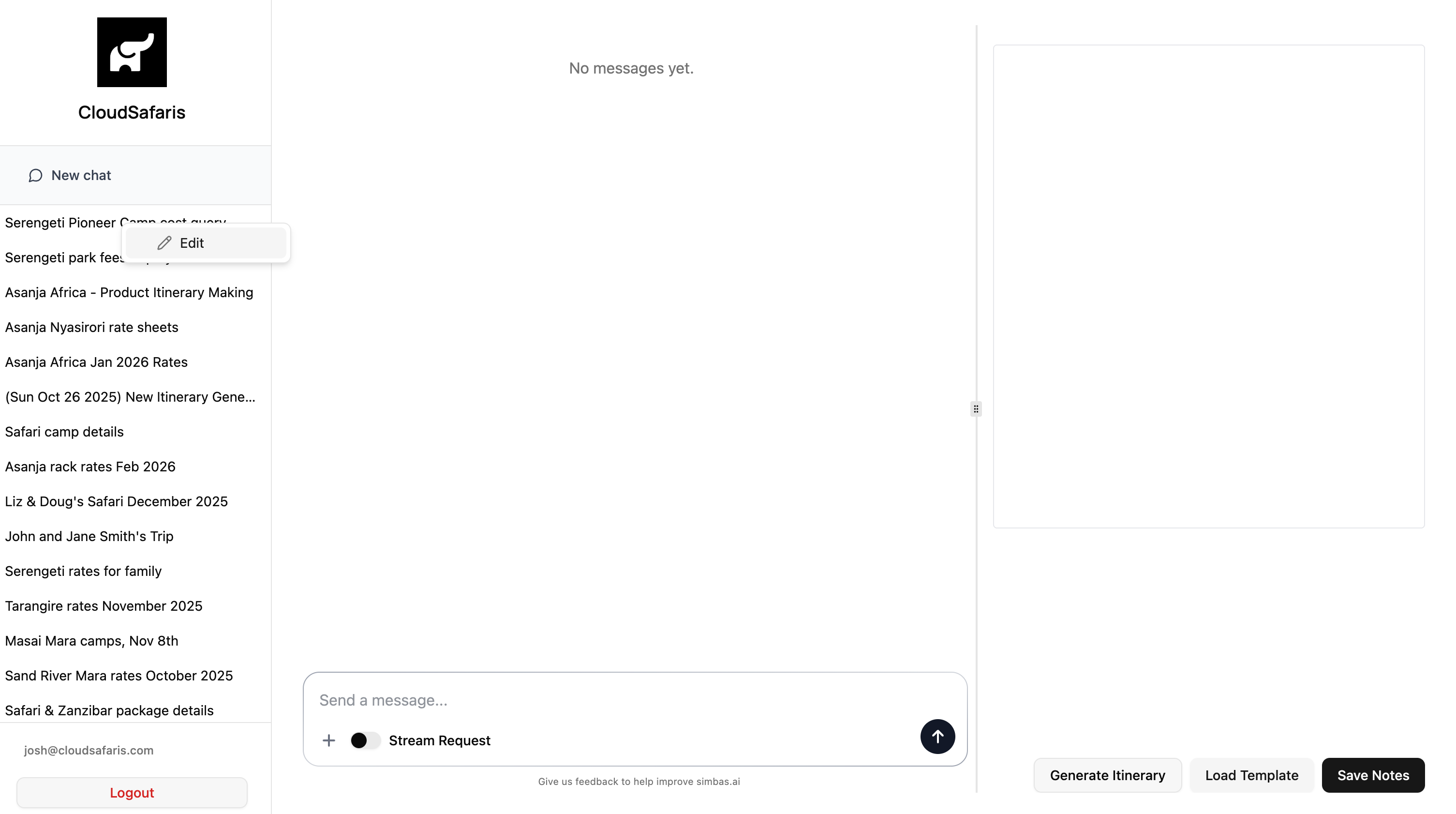
* **Right-click** (or **double-tap** on Mac) the conversation title.
* Select **“Edit”** from the menu to update the name.
### **AI Chat Navigation**
On the **left side** of the AI Chat interface, you’ll find the **Navigation panel**.
> *Note:* Your navigation layout may differ slightly from the screenshot above.
The navigation panel is automatically populated based on your **past conversations** with the AI Chat. Each line item represents a **separate conversation thread**.
### New Chat
To start a new conversation, click **“New Chat.”**
This creates a **fresh conversation thread** where you can ask new questions or generate new itineraries.
We recommend using **New Chat** when:
* You want to start a new query or itinerary.
* The AI Chat gets stuck or provides unrelated responses (to reset context).
* You want to keep separate topics or client requests organized.
### Conversations
Each **line item** in the side panel represents one of your **past AI Chat conversations**.
When you start a new conversation using the **“New Chat”** button, the system will automatically assign it a **default label** to help you identify it later.
If you’d like to rename or modify a conversation:
* **Right-click** (or **double-tap** on Mac) the conversation title.
* Select **“Edit”** from the menu to update the name.
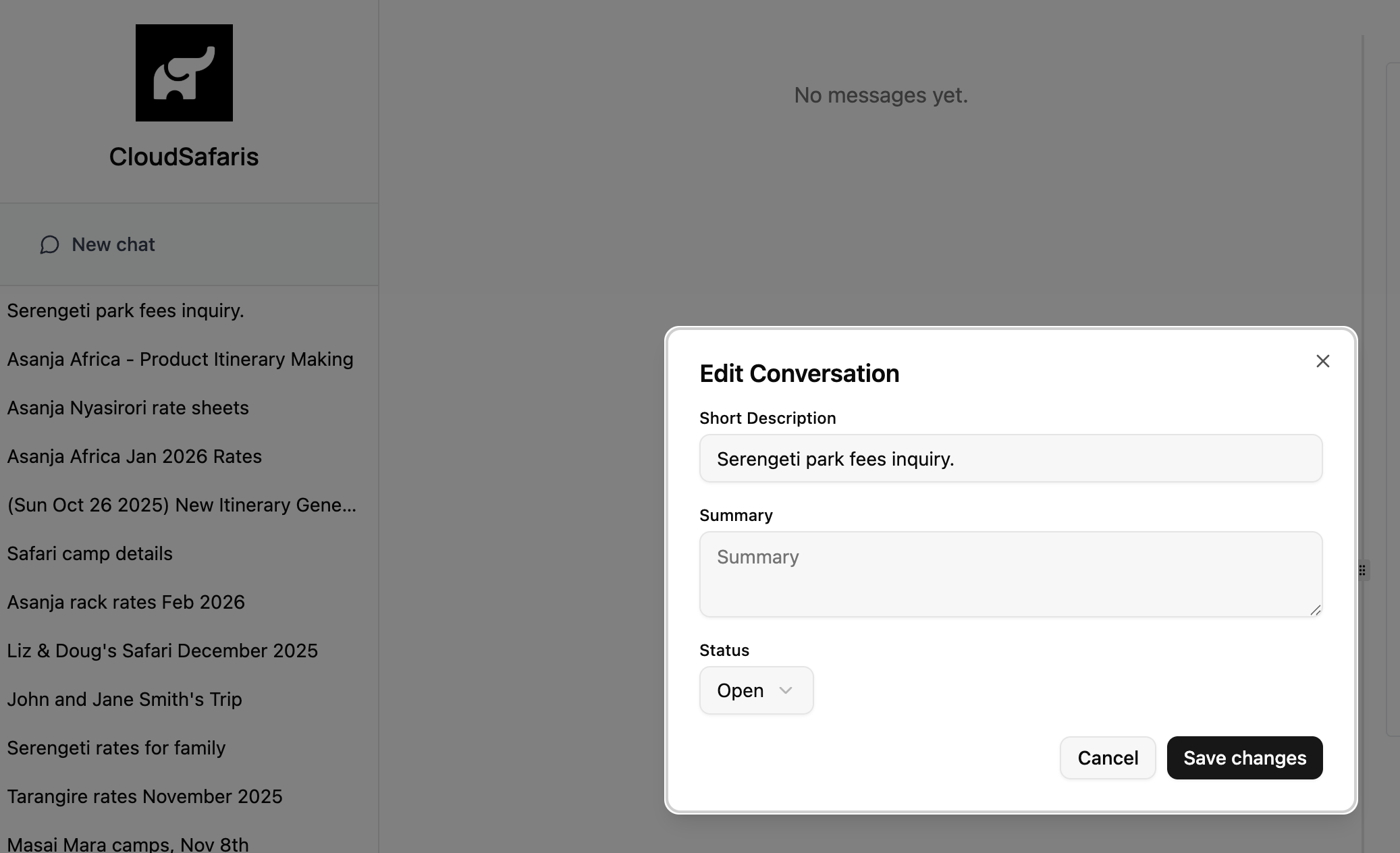
 When you click **“Edit”** on a conversation, a modal will appear allowing you to:
* **Edit the conversation label** (to rename or clarify the topic)
* **Add notes** for internal reference
* **Archive the conversation** if it’s no longer active
After making your updates, click **“Save Changes”** to apply and store the new label, description, or summary.
When you click **“Edit”** on a conversation, a modal will appear allowing you to:
* **Edit the conversation label** (to rename or clarify the topic)
* **Add notes** for internal reference
* **Archive the conversation** if it’s no longer active
After making your updates, click **“Save Changes”** to apply and store the new label, description, or summary.