> ## Documentation Index
> Fetch the complete documentation index at: https://docs.simbas.ai/llms.txt
> Use this file to discover all available pages before exploring further.
# Quickstart
> Create templates to use within the AI Chat.
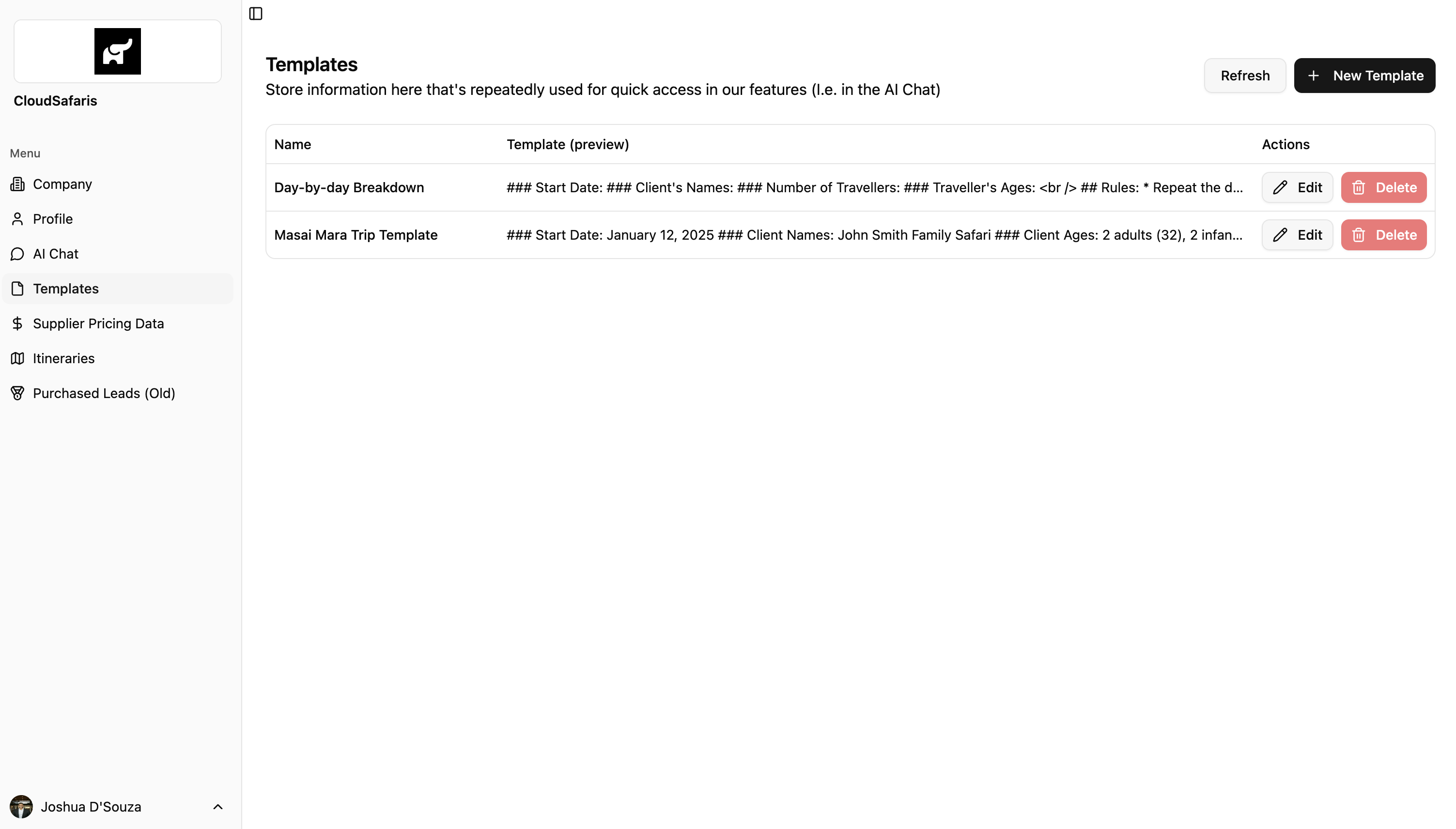
Within the dashboard, the **Templates** section allows you to **store reusable information** that can be accessed directly from the **Notepad** inside the AI Chat. Templates help your team maintain consistency and speed when generating responses or itineraries.
## Navigation
To access Templates, go to the dashboard:
👉 [https://simbas.ai/dashboard](https://simbas.ai/dashboard)
Then, click **“Templates”** in the navigation menu.
 ## Adding a Template
To add or create a new template, click **“+ New Template”** in the top-right corner of the Templates page.
A modal will appear where you can enter:
* **Template Name**
* **Template Markdown** (the content or structure you’d like to save)
## Adding a Template
To add or create a new template, click **“+ New Template”** in the top-right corner of the Templates page.
A modal will appear where you can enter:
* **Template Name**
* **Template Markdown** (the content or structure you’d like to save)
 The **Template Name** is a short, descriptive title that helps you easily identify and reference the template within the AI Chat.
The **Template (Markdown)** section is where you add the main content or structure of your notes.
You can use **Markdown formatting** to organize information clearly — for example, by adding headers, bullet points, bold text, or links.
Refer to the section below for detailed instructions on **how to format templates using Markdown**.
### Formatting Templates with Markdown
Templates in [Simbas.AI](http://Simbas.AI) are formatted using **Markdown** — a simple way to style and organize text within the Notepad.
Below is a quick overview of the main Markdown types you can use when creating or editing templates.
Using Markdown is **optional**, but it’s a great way to keep your Notepad clean, structured, and easy to read.
* Headings
* Use # for hadings (1-6 levels)
```
# Heading 1
## Heading 2
### Heading 3
#### Heading 4
##### Heading 5
###### Heading 6
```
* Bold & Italic
```
**bold text**
*italic text*
***bold and italic***
```
* Lists
```
Unordered List:
- Item 1
- Item 2
- Nested item
Ordered List:
1. First
2. Second
3. Third
```
### Setting a Template in the AI Chat
For guidance on how to apply or use a template within the AI Chat, please refer to the [AI Chat Notepad](https://docs.simbas.ai/ai-chat/notepad) section of this guide.
The **Template Name** is a short, descriptive title that helps you easily identify and reference the template within the AI Chat.
The **Template (Markdown)** section is where you add the main content or structure of your notes.
You can use **Markdown formatting** to organize information clearly — for example, by adding headers, bullet points, bold text, or links.
Refer to the section below for detailed instructions on **how to format templates using Markdown**.
### Formatting Templates with Markdown
Templates in [Simbas.AI](http://Simbas.AI) are formatted using **Markdown** — a simple way to style and organize text within the Notepad.
Below is a quick overview of the main Markdown types you can use when creating or editing templates.
Using Markdown is **optional**, but it’s a great way to keep your Notepad clean, structured, and easy to read.
* Headings
* Use # for hadings (1-6 levels)
```
# Heading 1
## Heading 2
### Heading 3
#### Heading 4
##### Heading 5
###### Heading 6
```
* Bold & Italic
```
**bold text**
*italic text*
***bold and italic***
```
* Lists
```
Unordered List:
- Item 1
- Item 2
- Nested item
Ordered List:
1. First
2. Second
3. Third
```
### Setting a Template in the AI Chat
For guidance on how to apply or use a template within the AI Chat, please refer to the [AI Chat Notepad](https://docs.simbas.ai/ai-chat/notepad) section of this guide.